Updating Email / Password
Written By Andrew Petrovics
Last updated About 1 year ago
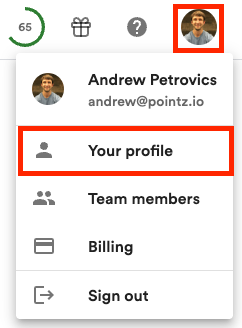
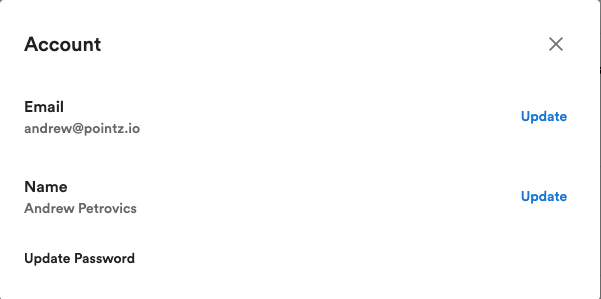
You can update your email in the profile dialog by on your profile avatar (top right of your screen), selecting the “Profile” menu, and the select “Update” button next to your email.
Note: If you signed up with your Google account you will need to first add a password to your account before you can change your email.
To update (or add) a password click on the “Update Password” option. If you signed up with a Google account, you will see a “Add Password” option instead.
FAQs
I signed up with my Google account but would like to sign in with an email and password instead. What do I do?
I signed up with my Google account but would like to sign in with an email and password instead. What do I do?
You’ll need to add a password first (click the “Add Password” button in Settings). This will allow you log in with your email and password instead of your Google account. If you would like to change your email, you can do as described above.
I forgot my password. What do I do?
I forgot my password. What do I do?
There’s a Forgot Password button on the sign in dialog you can use to reset your password.
Was this helpful?
Still need help? Ask the team