Important! Team members will be granted (almost) full access to your account with the ability to create/view/edit/delete all blog posts, integrations, automations, publications, and any other non-account or non-billing settings.Team members will NOT have the ability to view or update any account information (such as name, email, password, etc.) or any subscription/billing information.
Adding team members
To add a team member click the Team Members option under your user avatar (top right of your screen).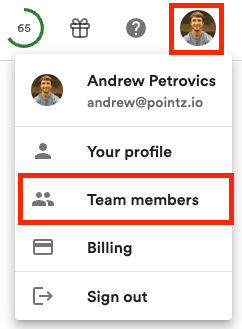
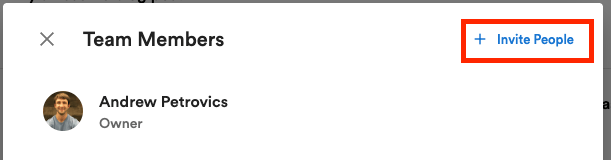
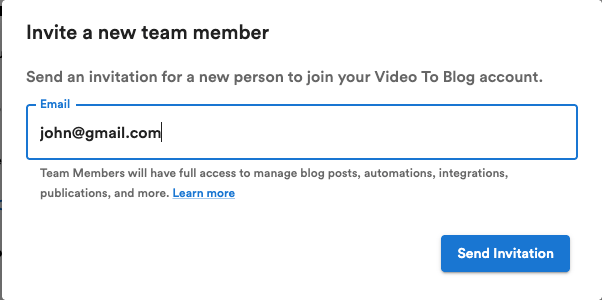
Good to know: If your team member already has a Video To Blog account, the emails do not need to match.
Resending or Revoking invitations
If you need to resend or revoke any pending invitation simply click the ellipsis (three dots) button next to the invitation and select the desired option.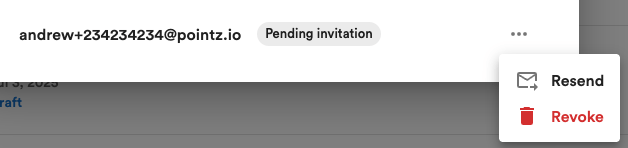
Removing Team Members
If you need to remove access to a team member you can do so by clicking the ellipsis (three dots) button to the right of the team member and selecting the “Delete” option. This will remove the team member from your account.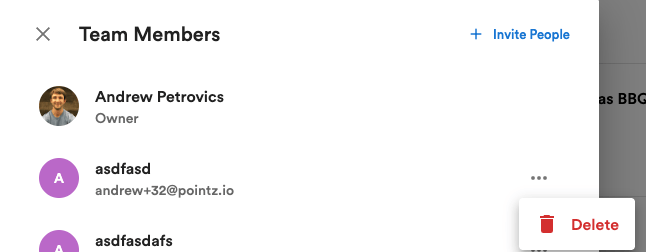
Accepting Team Invites
If you have been sent an invite to join someone else’s Video To Blog account, all you need to do is click the link in the email that you were sent.Note: If you didn’t get an email that you were expecting, be sure to check your spam folder (and also mark the email as not spam in your email provider).
Switching between accounts
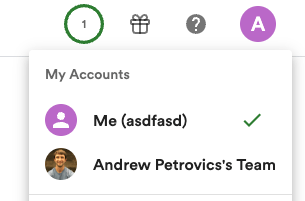
If you’re a member of someone else’s account (or multiple accounts) you can switch between those accounts and your own by clicking your user avatar (top right of your screen)and then selecting your desired account.